

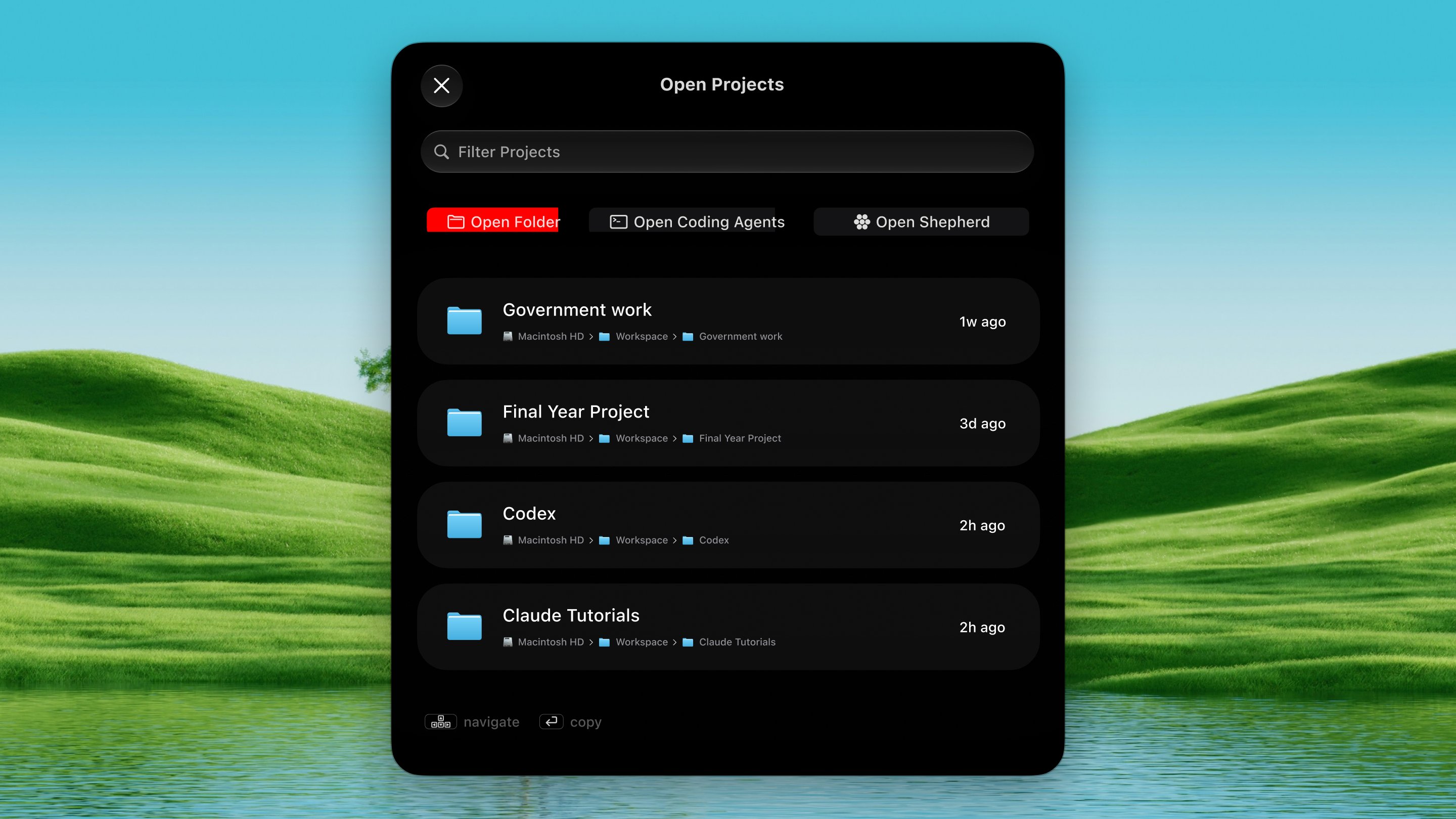
Open it
Press ⌃ ⌥ O from any app.How it works
1
Open the palette
Press ⌃ ⌥ O. A list of every project
you’ve used Claude Code or Codex in floats up.
2
Pick an action
Use ⇥ or ← → to walk between three
tabs at the top:
- Open Folder — opens the project in your editor or file manager.
- Open Coding Agent — opens your terminal in that folder with the agent already running. ⇧ ⇥ switches which agent.
- Open Shepherd — starts a new group of agents in Shepherd on this Mac. Every open is a new group. To run agents on a server instead, add the host inside Shepherd.
3
Pick a project
Press ↩ on the project you want.