Download on the App Store
Free, for iPhone and iPad. Needs Dax on your Mac.
Pair it with your Mac
1
Install the app
Get Dax Companion from the App Store
on your iPhone or iPad.
2
Show the code on your Mac
In Dax, click the phone at the bottom of the sidebar, then Add a device.
A QR code appears.
3
Scan it
Open Dax Companion and scan the code. That’s it: no account to create on
the phone. Pair as many iPhones and iPads as you like.
What you can do
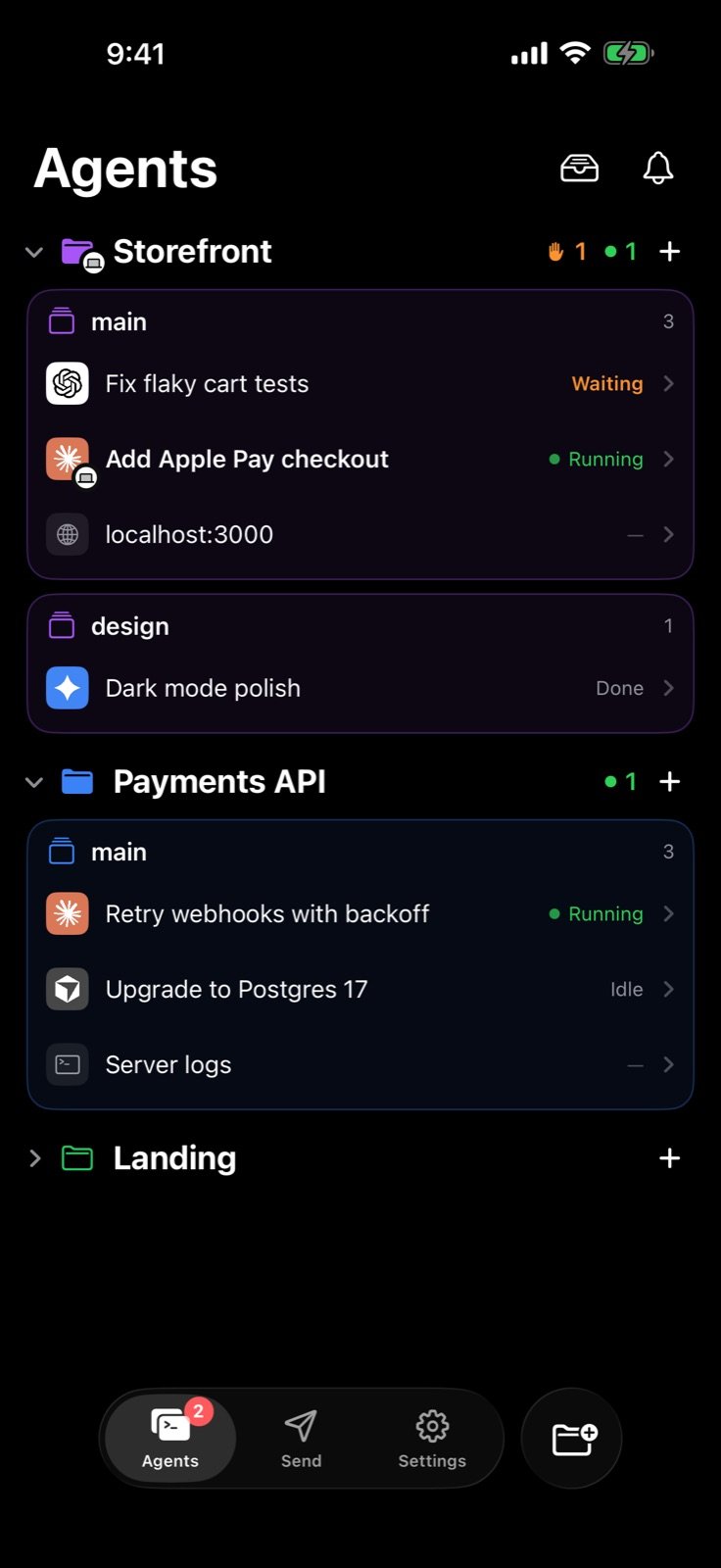
See every agent
Every agent in every project, running, waiting, idle or done, live as it
changes. Claude Code, Codex, Gemini CLI, Cursor and other terminal agents.
Steer from anywhere
Watch an agent’s terminal as it works, and type its next prompt or answer
its question. It goes straight to the agent on your Mac.
Never miss a question
A notification the moment an agent finishes or needs you; answer with one
tap. On iPhone, follow a task on the Lock Screen and in the Dynamic Island.
Send to your Mac
Photos, videos, files and links to your Mac’s File Drawer, its clipboard,
or straight to an agent, from the app or the share sheet.
Your Mac, in hand
Battery, volume, brightness and media controls. Lock it, keep it awake, or
glance at its screen when you turn screen sharing on.
AI Video clips
Clips you make with Dax’s AI Video arrive on your iPhone and iPad by
themselves, ready to save to Photos.
On iPad
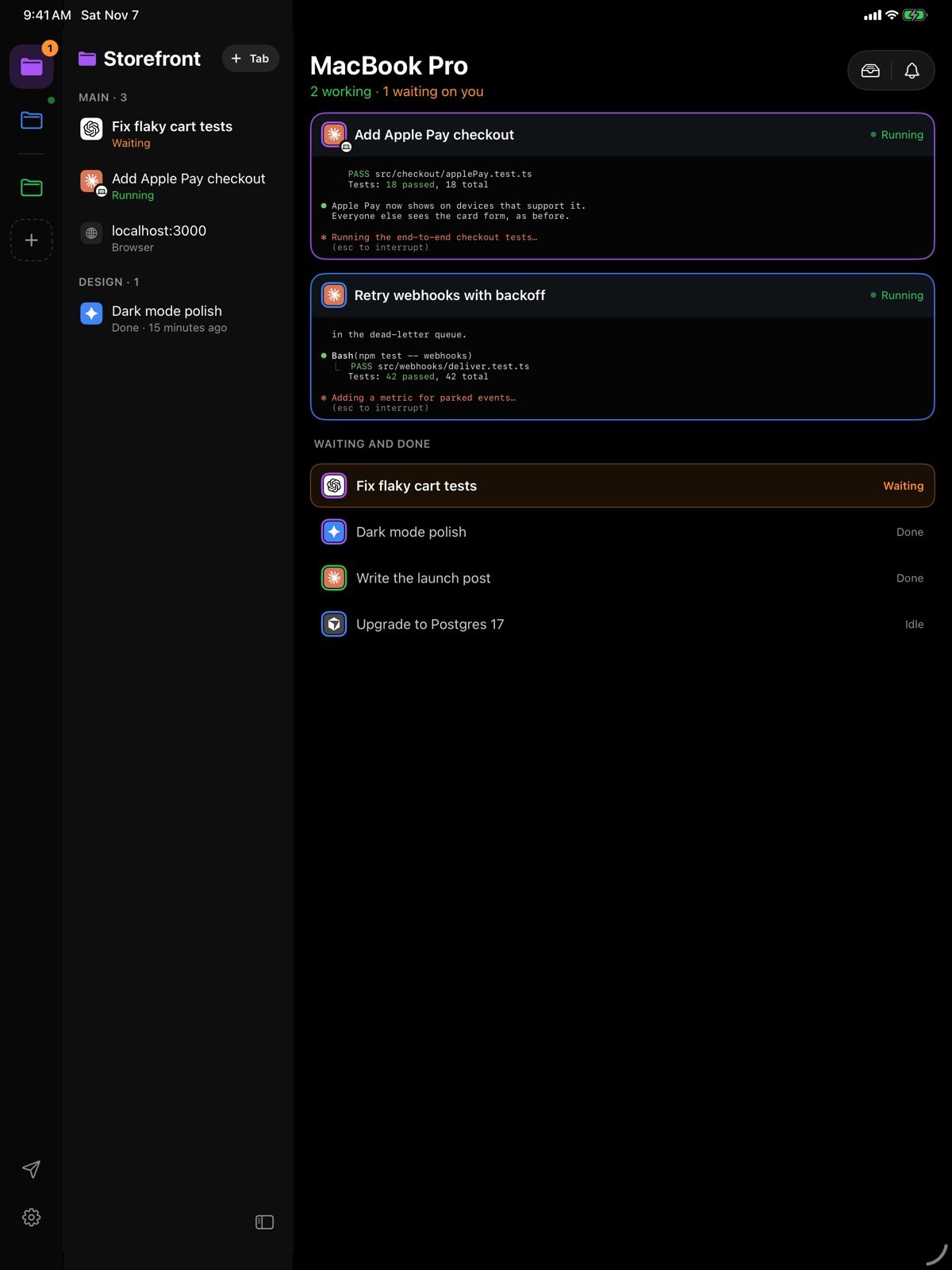
The iPad has a layout of its own: your projects in a rail, their agents beside them, and the terminal on the right. With nothing open, every running agent shows as a live terminal card, so you can watch every agent at once. Turn it on its side and the Mac page puts your Mac’s screen and its controls side by side.